User Guide
StatiCrypt allows you to encrypt a single landing page or a full documentation site. This guide covers installation, configuration and options for sharing protected HTML.
Installation
Using Docker
- Fetch and run the docker image
docker run --rm ghcr.io/royfrancis/staticrypt:latest- Navigate to the directory with the html file to encrypt and run as below. This outputs index.html into a folder named 'encrypted' inside the current directory.
docker run --rm -v $PWD:/home/work ghcr.io/royfrancis/staticrypt:latest index.html -p mylongpasswordUsing NodeJS
- Prepare an environment with NodeJS
conda create -n nodejs-24 nodejs=24 -c conda-forge
conda activate nodejs-24- Clone the repo and install the required NPM packages
git clone https://github.com/royfrancis/staticrypt.git
git checkout bootstrap
npm install -g
staticrypt --version- Navigate to the directory with the html file to encrypt
- The command creates a folder named 'encrypted' with encrypted version.
staticrypt index.html -p mylongpasswordFor more options, staticrypt --help
For tests using Jest,
npm install --save-dev jest@29
npm test
For documentation using VitePress,
npm install --save-dev vitepress
npm run docs:build
Using GitHub Actions
Encrypting static websites can be automated using GitHub Actions. For examples, see
Usage
Essentials
These are the key flags:
-pPassword to unlock the encrypted page-dName of output directory for encrypted files.-d .denotes output into current directory which means overwrite input file-rRecursively encrypt all HTML files
The basic usage encrypts index.html into a separate default directory encrypted/index.html.
staticrypt index.html -p mylongpasswordEach successful encrypt or decrypt prints a summary such as Encrypted 1 file to /absolute/path/encrypted or Decrypted 1 file to /absolute/path/decrypted. Add --quiet (or -q) to silence that message when scripting or using CI pipelines.
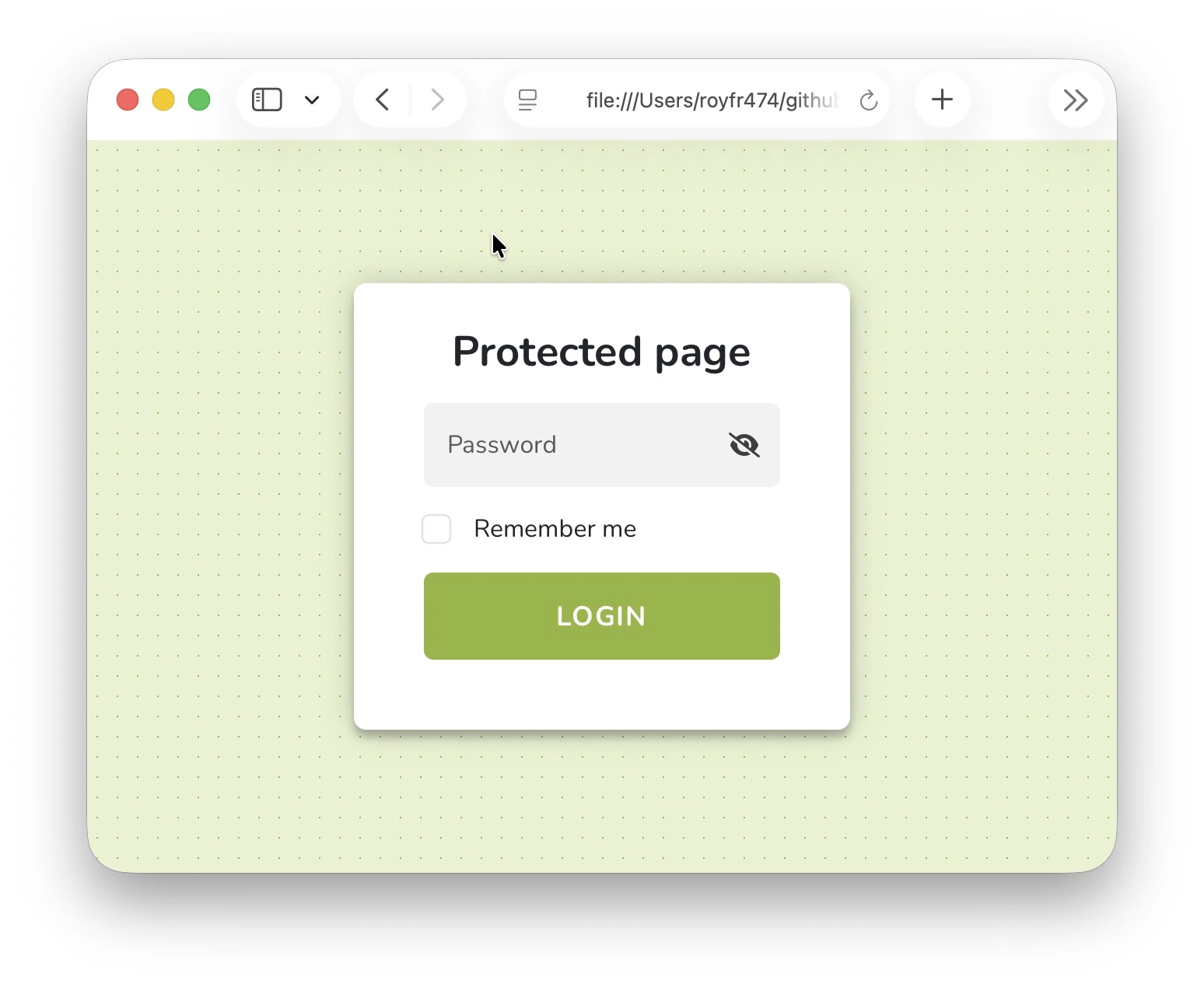
Password via environment variable
export STATICRYPT_PASSWORD="mylongpassword"
staticrypt index.html
Export to custom directory
staticrypt index.html -d encrypted_site -p mylongpasswordOverwrite input with encrypted version by specifying current directory
staticrypt index.html -d . -p mylongpasswordEncrypt multiple files and overwrite them
staticrypt index.html index2.html -d . -p mylongpasswordRecursively encrypt all HTML files in a folder and output to another folder. Every .html / .htm file is encrypted. Other assets (images, PDFs, CSS) are copied verbatim so the decrypted site loads normally. The relative directory structure is preserved inside the output folder.
staticrypt path/to/folder -r -p mylongpasswordRecursively encrypt all HTML files inside a folder and overwrite them keeping the directory structure intact.
staticrypt path/to/folder/* -r -d . -p mylongpassword

# for current directory
staticrypt * -r -d . -p mylongpassword
Template Customization
StatiCrypt supports customizing the password prompt template via flags or a custom HTML file. Below are some common options.
Button
Change the button text. Use single quotes to avoid shell issues.
staticrypt index.html -p mylongpassword --template-button 'Gimme the secrets!'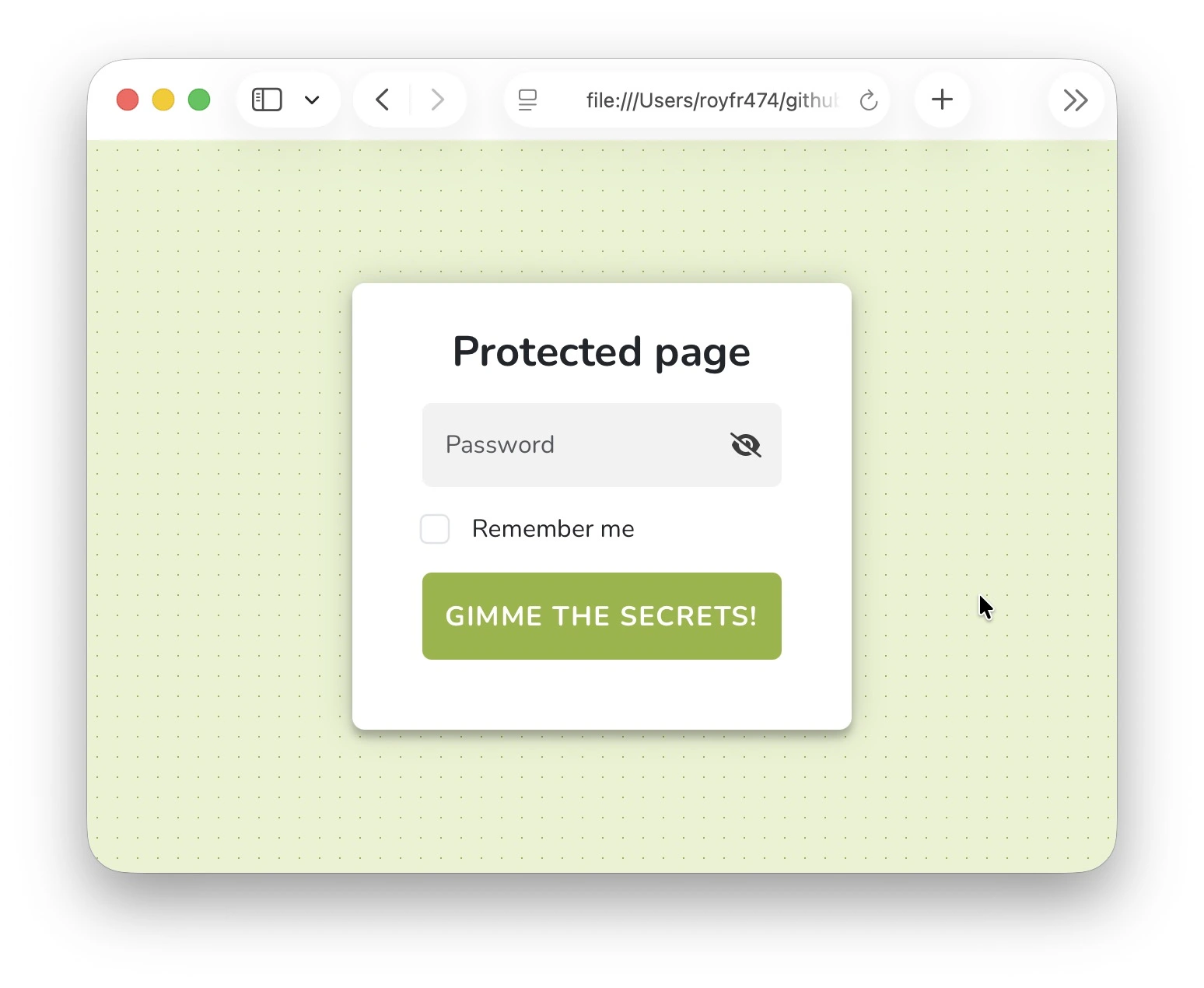
Colors
Change primary and secondary colors
staticrypt index.html -p mylongpassword --template-color-primary '#FD7979' --template-color-secondary '#FEEAC9'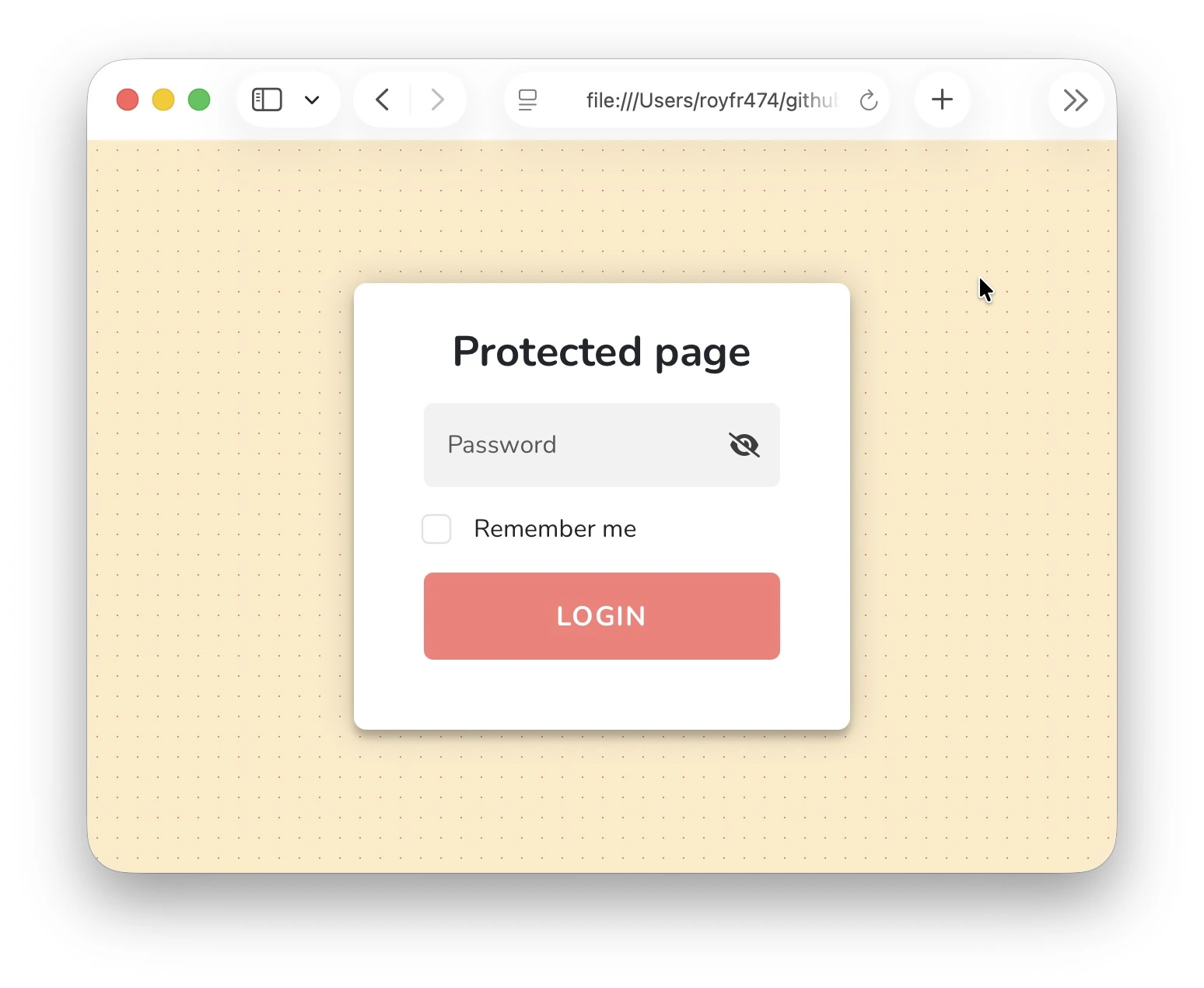
Error message
Change the error message shown on incorrect password
staticrypt index.html -p mylongpassword --template-error 'Bad password! Please try again.'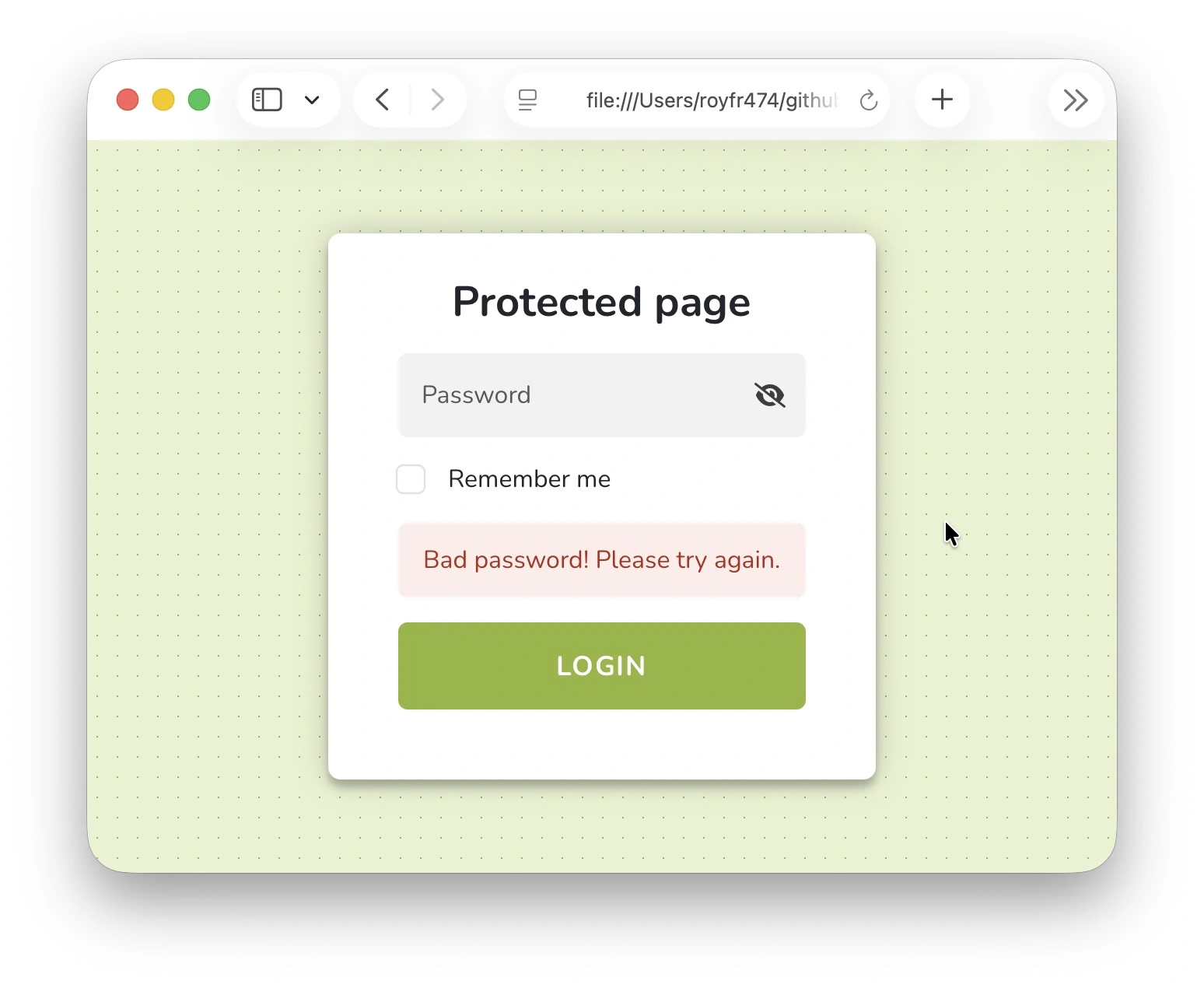
Password placeholder
Change placeholder text for password input
staticrypt index.html -p mylongpassword --template-placeholder 'Enter secret here'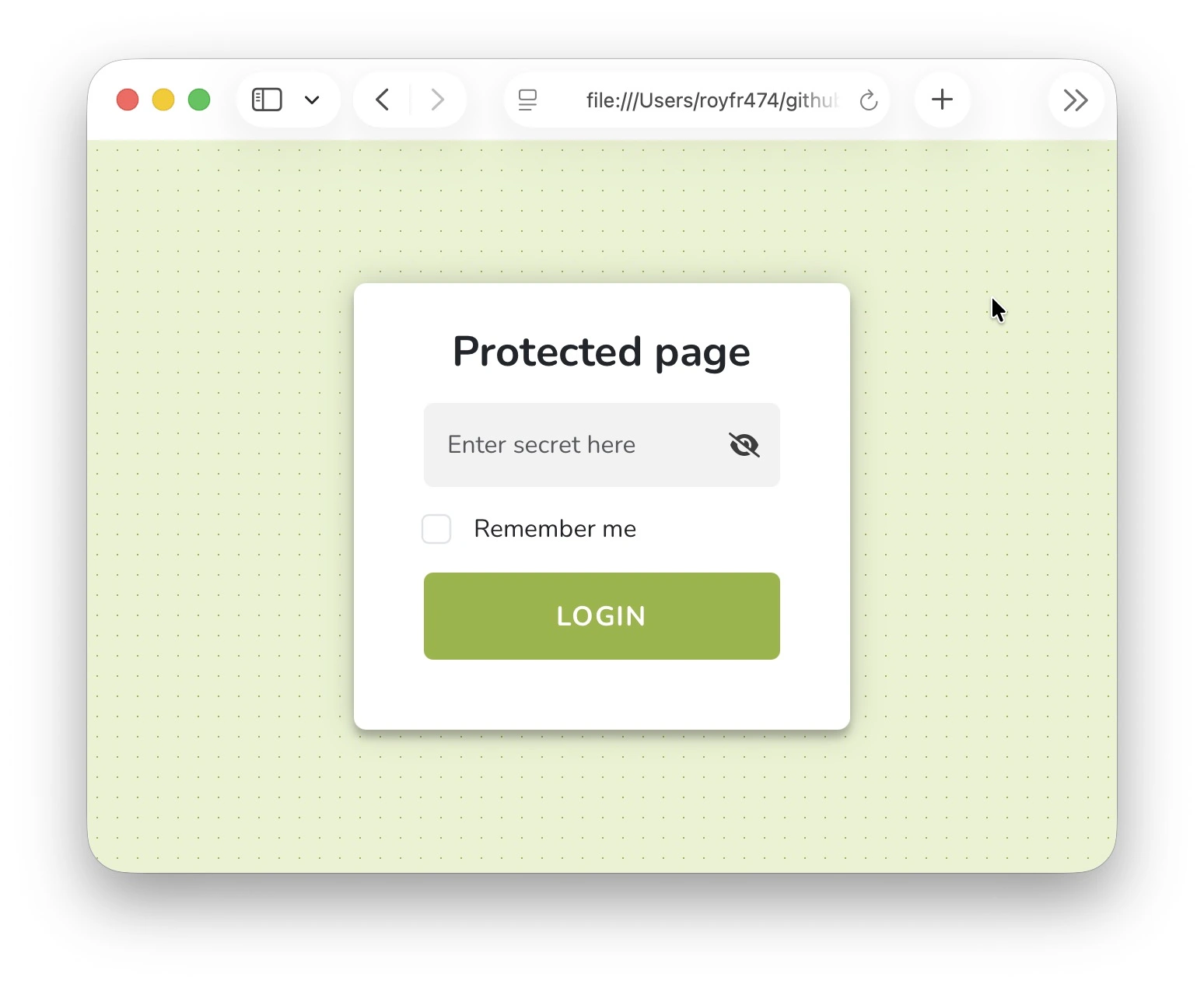
Form title
Set custom title to display on the login form
staticrypt index.html -p mylongpassword --template-title 'Confidential Document'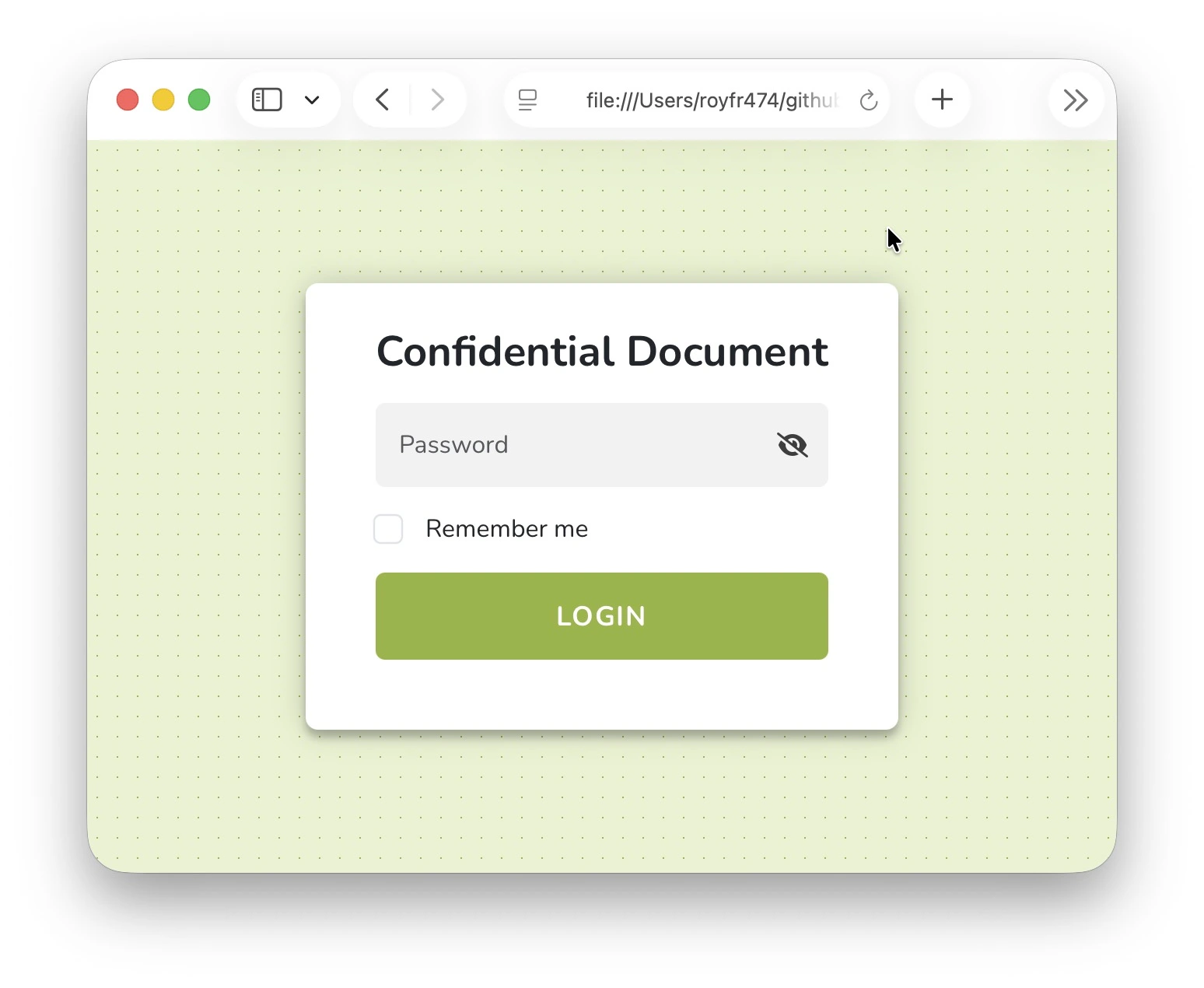
Page title
Set the page title to be different from form title. This changes the text on the browser tab for example.
staticrypt index.html -p mylongpassword --template-page-title 'Confidential Document - Login'Custom instructions
Provide custom instructions
staticrypt index.html -p mylongpassword --template-instructions 'Please enter the secret code to unlock this page.'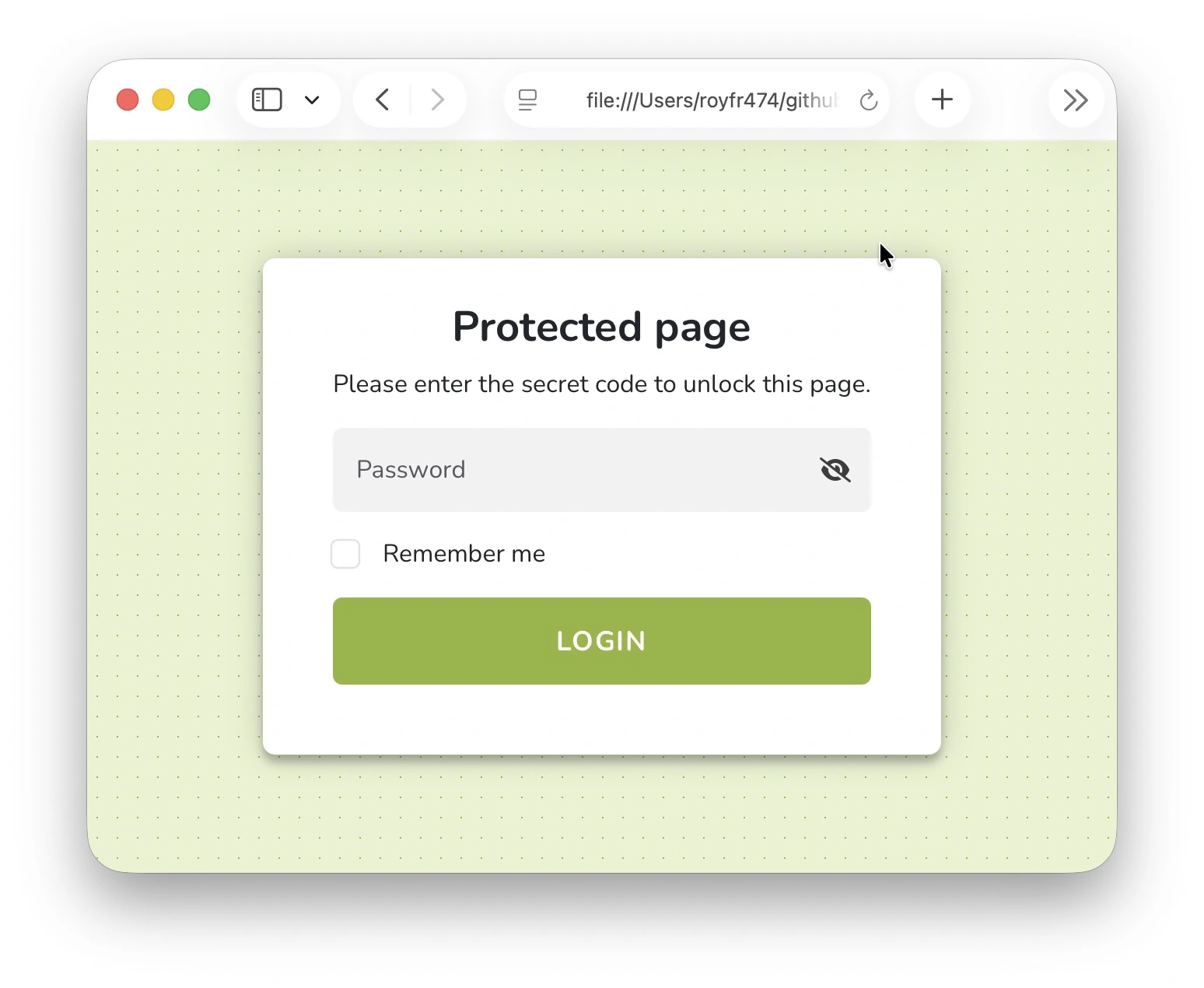
Subtitle
Add a subtitle and instructions
staticrypt index.html -p mylongpassword --template-subtitle 'Confidential' --template-instructions 'Please enter the secret code to unlock this page.'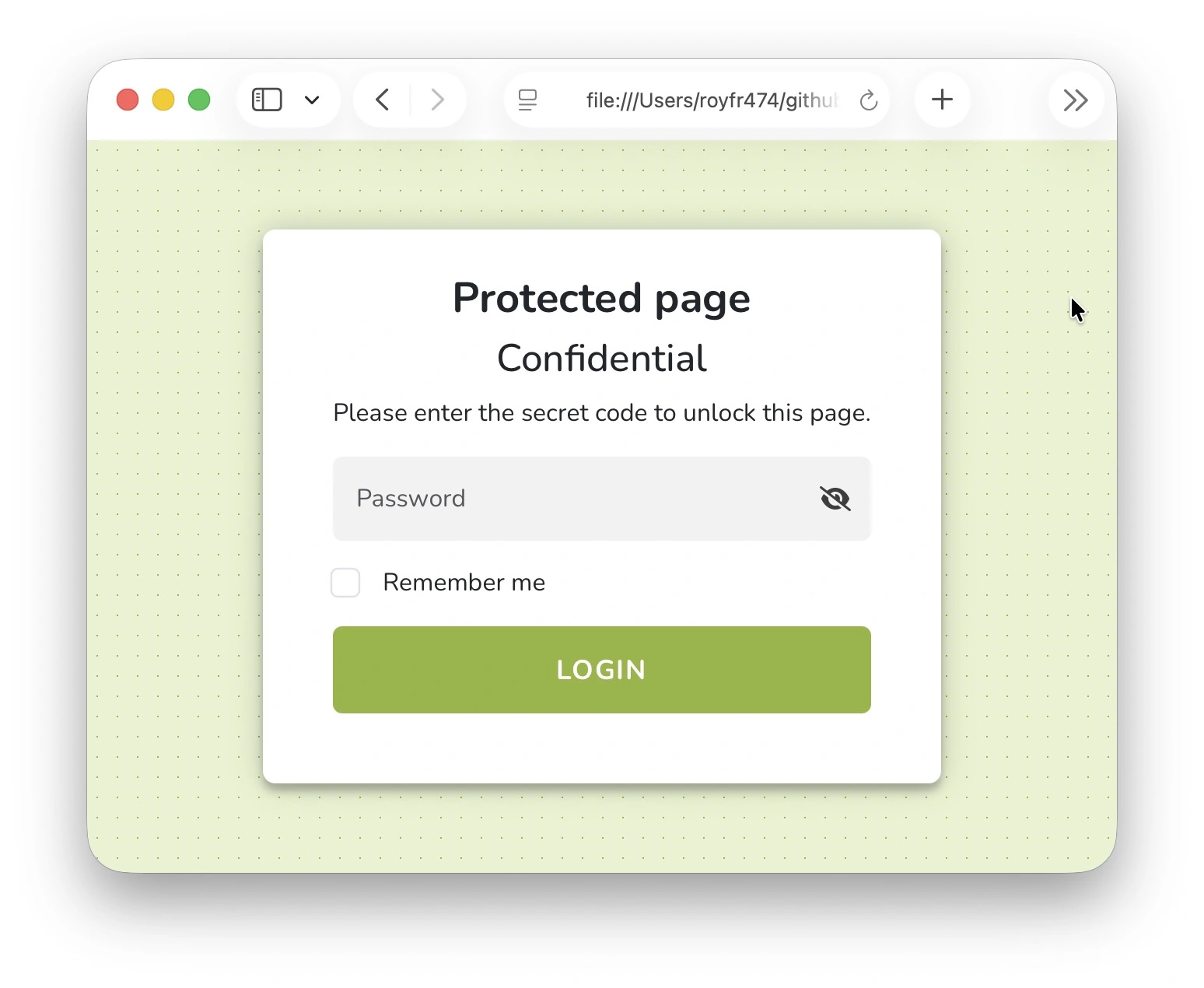
Subtitle link
Add a link to the subtitle
staticrypt index.html -p mylongpassword --template-subtitle 'Confidential' --template-subtitle-link 'https://royfrancis.github.io/staticrypt/'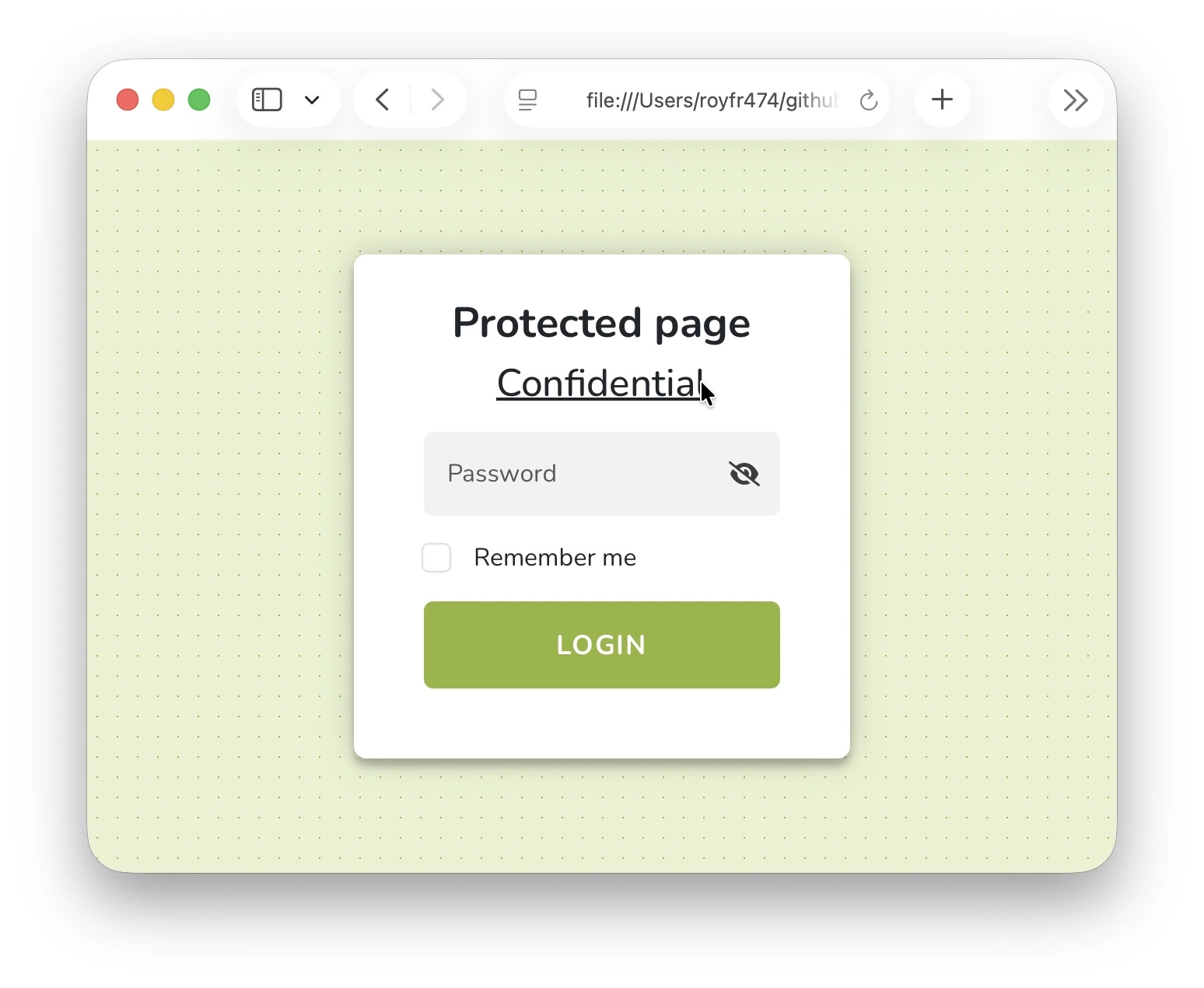
Add a Github icon and link to the subtitle
staticrypt index.html -p mylongpassword --template-subtitle "<svg width='30' height='30' xmlns='http://www.w3.org/2000/svg' viewBox='0 0 496 512'><path d='M165.9 397.4c0 2-2.3 3.6-5.2 3.6-3.3.3-5.6-1.3-5.6-3.6 0-2 2.3-3.6 5.2-3.6 3-.3 5.6 1.3 5.6 3.6zm-31.1-4.5c-.7 2 1.3 4.3 4.3 4.9 2.6 1 5.6 0 6.2-2s-1.3-4.3-4.3-5.2c-2.6-.7-5.5.3-6.2 2.3zm44.2-1.7c-2.9.7-4.9 2.6-4.6 4.9.3 2 2.9 3.3 5.9 2.6 2.9-.7 4.9-2.6 4.6-4.6-.3-1.9-3-3.2-5.9-2.9zM244.8 8C106.1 8 0 113.3 0 252c0 110.9 69.8 205.8 169.5 239.2 12.8 2.3 17.3-5.6 17.3-12.1 0-6.2-.3-40.4-.3-61.4 0 0-70 15-84.7-29.8 0 0-11.4-29.1-27.8-36.6 0 0-22.9-15.7 1.6-15.4 0 0 24.9 2 38.6 25.8 21.9 38.6 58.6 27.5 72.9 20.9 2.3-16 8.8-27.1 16-33.7-55.9-6.2-112.3-14.3-112.3-110.5 0-27.5 7.6-41.3 23.6-58.9-2.6-6.5-11.1-33.3 2.6-67.9 20.9-6.5 69 27 69 27 20-5.6 41.5-8.5 62.8-8.5s42.8 2.9 62.8 8.5c0 0 48.1-33.6 69-27 13.7 34.7 5.2 61.4 2.6 67.9 16 17.7 25.8 31.5 25.8 58.9 0 96.5-58.9 104.2-114.8 110.5 9.2 7.9 17 22.9 17 46.4 0 33.7-.3 75.4-.3 83.6 0 6.5 4.6 14.4 17.3 12.1C428.2 457.8 496 362.9 496 252 496 113.3 383.5 8 244.8 8zM97.2 352.9c-1.3 1-1 3.3.7 5.2 1.6 1.6 3.9 2.3 5.2 1 1.3-1 1-3.3-.7-5.2-1.6-1.6-3.9-2.3-5.2-1zm-10.8-8.1c-.7 1.3.3 2.9 2.3 3.9 1.6 1 3.6.7 4.3-.7.7-1.3-.3-2.9-2.3-3.9-2-.6-3.6-.3-4.3.7zm32.4 35.6c-1.6 1.3-1 4.3 1.3 6.2 2.3 2.3 5.2 2.6 6.5 1 1.3-1.3.7-4.3-1.3-6.2-2.2-2.3-5.2-2.6-6.5-1zm-11.4-14.7c-1.6 1-1.6 3.6 0 5.9 1.6 2.3 4.3 3.3 5.6 2.3 1.6-1.3 1.6-3.9 0-6.2-1.4-2.3-4-3.3-5.6-2z'/></svg> Github" --template-subtitle-link "https://github.com/royfrancis/staticrypt"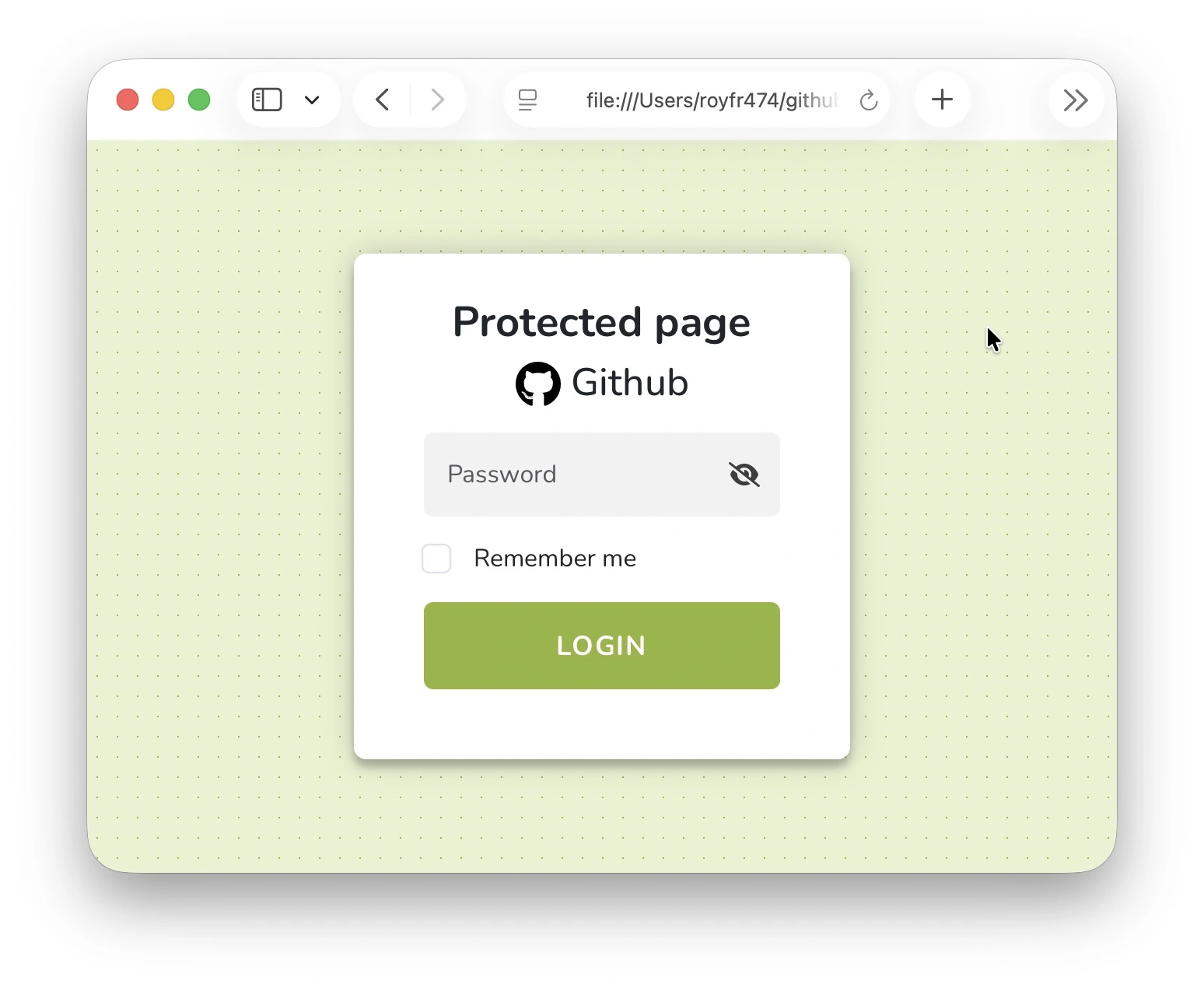
Footer Text
Add a compact footer with optional link below the form. This is great for "About" blurbs, repository links, or attribution notes.
staticrypt index.html -p mylongpassword \
    --template-footer "Made with ♥" \
    --template-footer-link https://github.com/royfrancis/staticrypt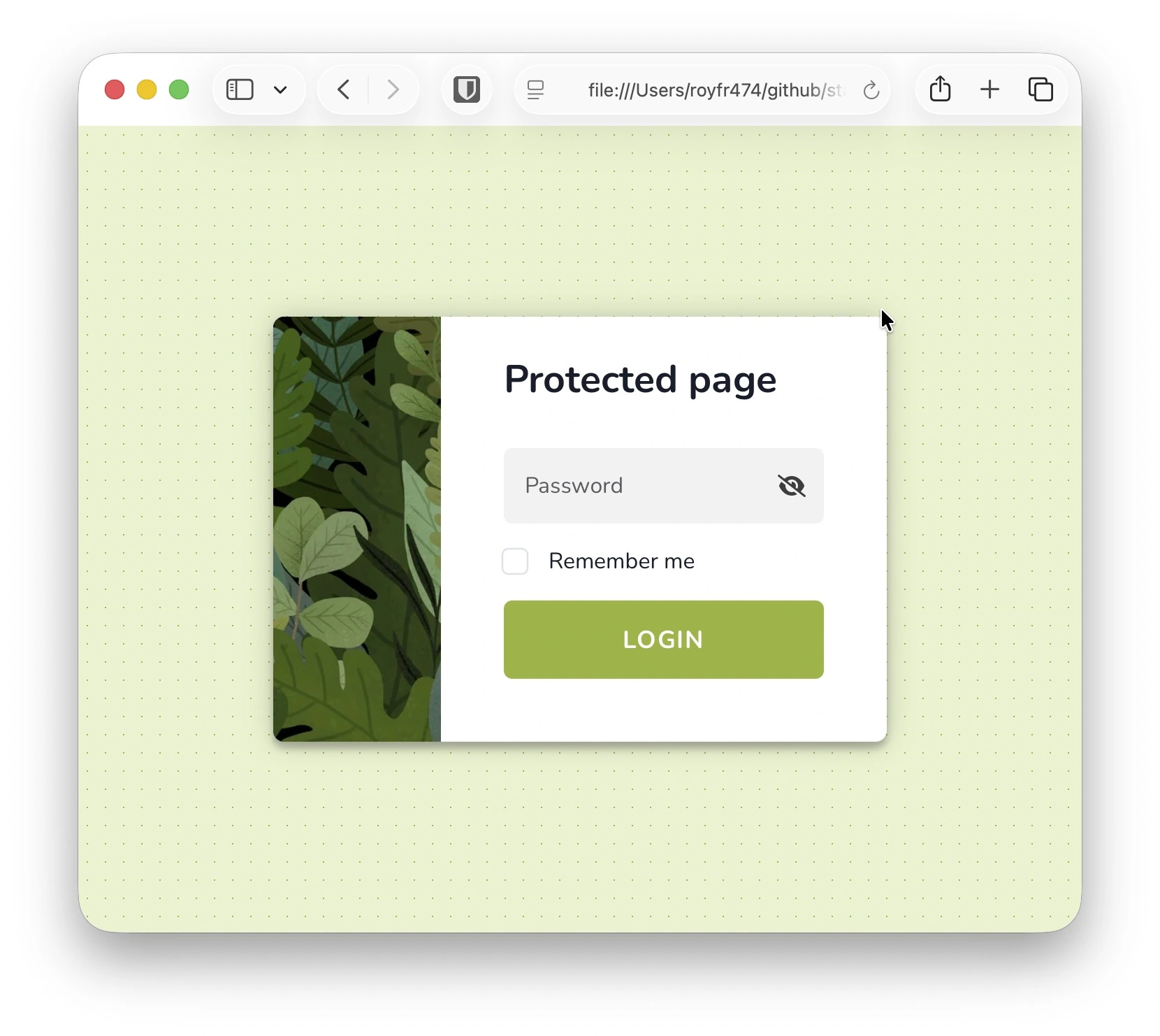
If you omit --template-footer-link, the text stays plain. Passing only the link prints a warning and ignores the URL until a footer message is supplied.
Hero / Brand Image
Add a hero or brand image to the login card. --template-image accepts a local path or absolute URL. Combine it with --template-image-position, --template-image-height, --template-image-width, and --template-image-focus to fine-tune the layout. --template-image-position can take options 'top' or 'left'. Height and width if not set defaults to (top: 60px × 100%, left: 100% × 120px). --template-image-focus tweaks the CSS object-position (default center) so you can shift the crop focus.
# Default image on top
staticrypt index.html -p mylongpassword --template-image portrait.webp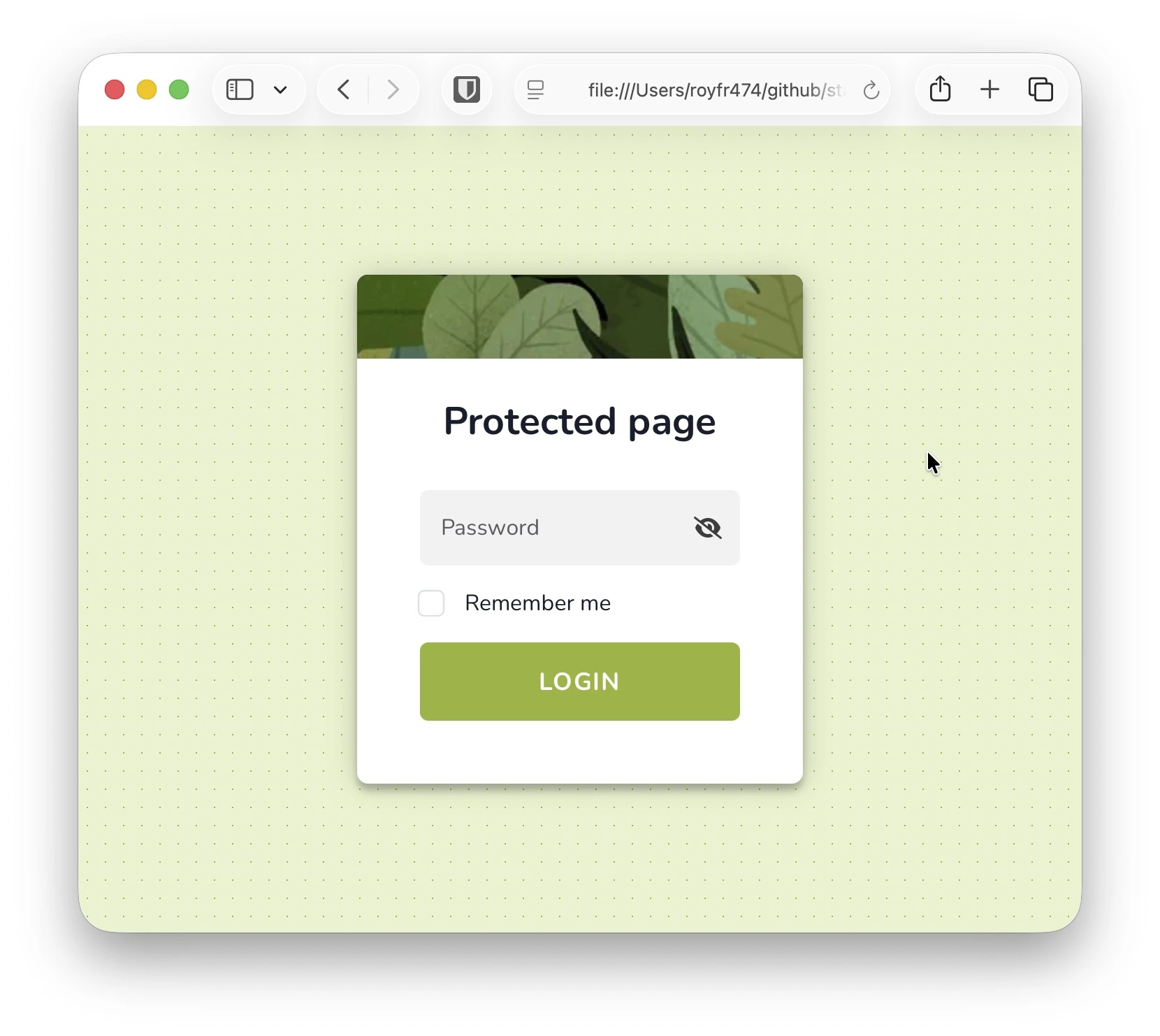
# Set to left side
staticrypt index.html -p mylongpassword \
    --template-image portrait.webp \
    --template-image-position left
# Using a remote image URL, custom width, focus and footer
staticrypt index.html -p mylongpassword \
    --template-image https://images.pexels.com/photos/4716089/pexels-photo-4716089.jpeg \
    --template-image-position left \
    --template-image-width 200px \
    --template-image-focus "top left" \
    --template-footer "Made with ♥" \
    --template-footer-link https://github.com/royfrancis/staticrypt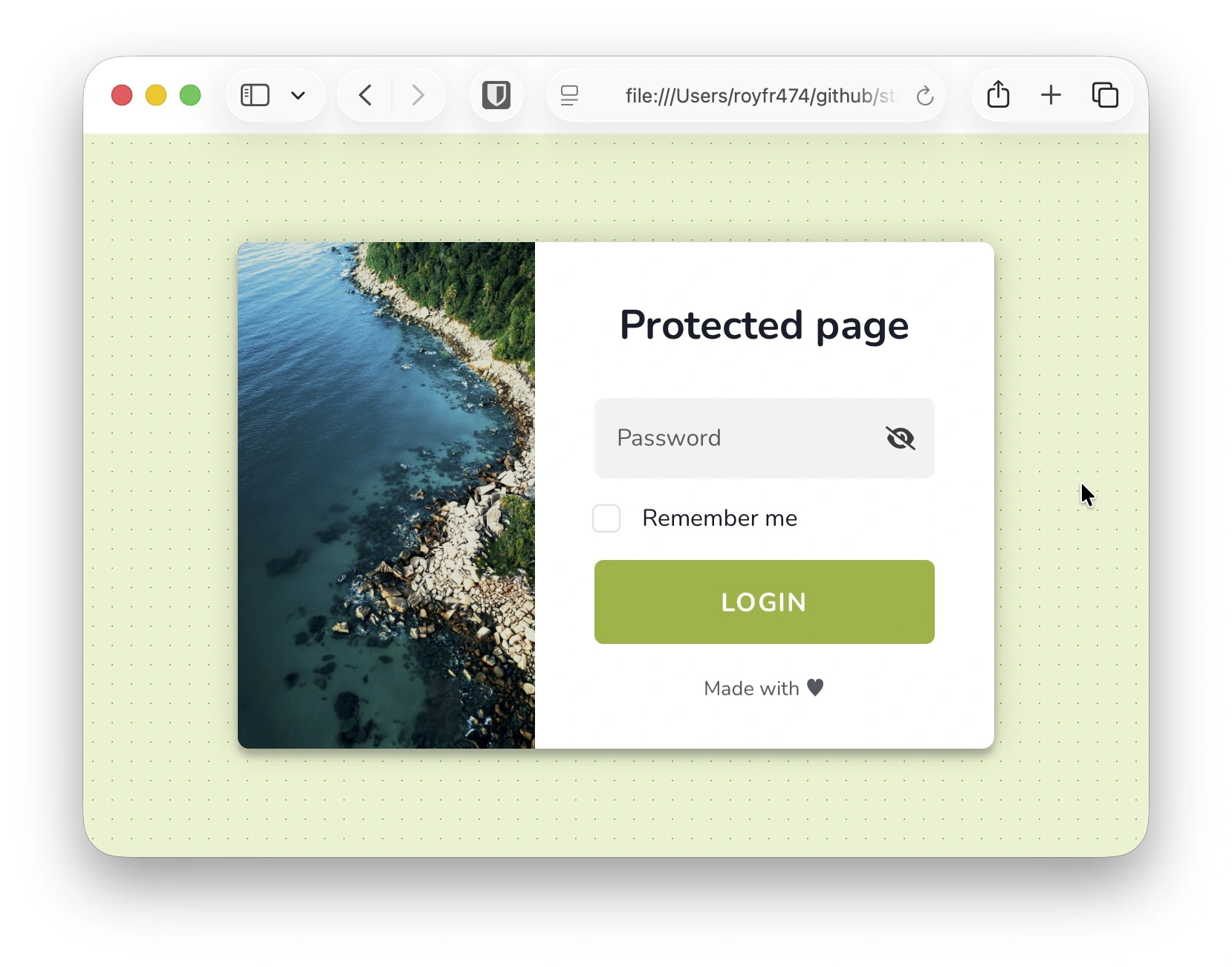
The image element is constrained with object-fit: cover, so it fully fills the allocated box without distorting the original aspect ratio. Use --template-image-focus to shift the focal point (e.g., center top, 75% 25%, right bottom).
WARNING
Local images are encoded into the HTML file during export, so use images with small file sizes to avoid bloating the final HTML size.
Remember Me
When --remember is enabled, StatiCrypt stores the salted + hashed password in localStorage under a page-scoped key. Duration is controlled via --remember. Default of 0 is to keep indefinitely, 7 to expire in a week, or false to remove the checkbox.
Change the label to use for 'remember me' checkbox
staticrypt index.html -p mylongpassword --template-remember 'Keep me logged in'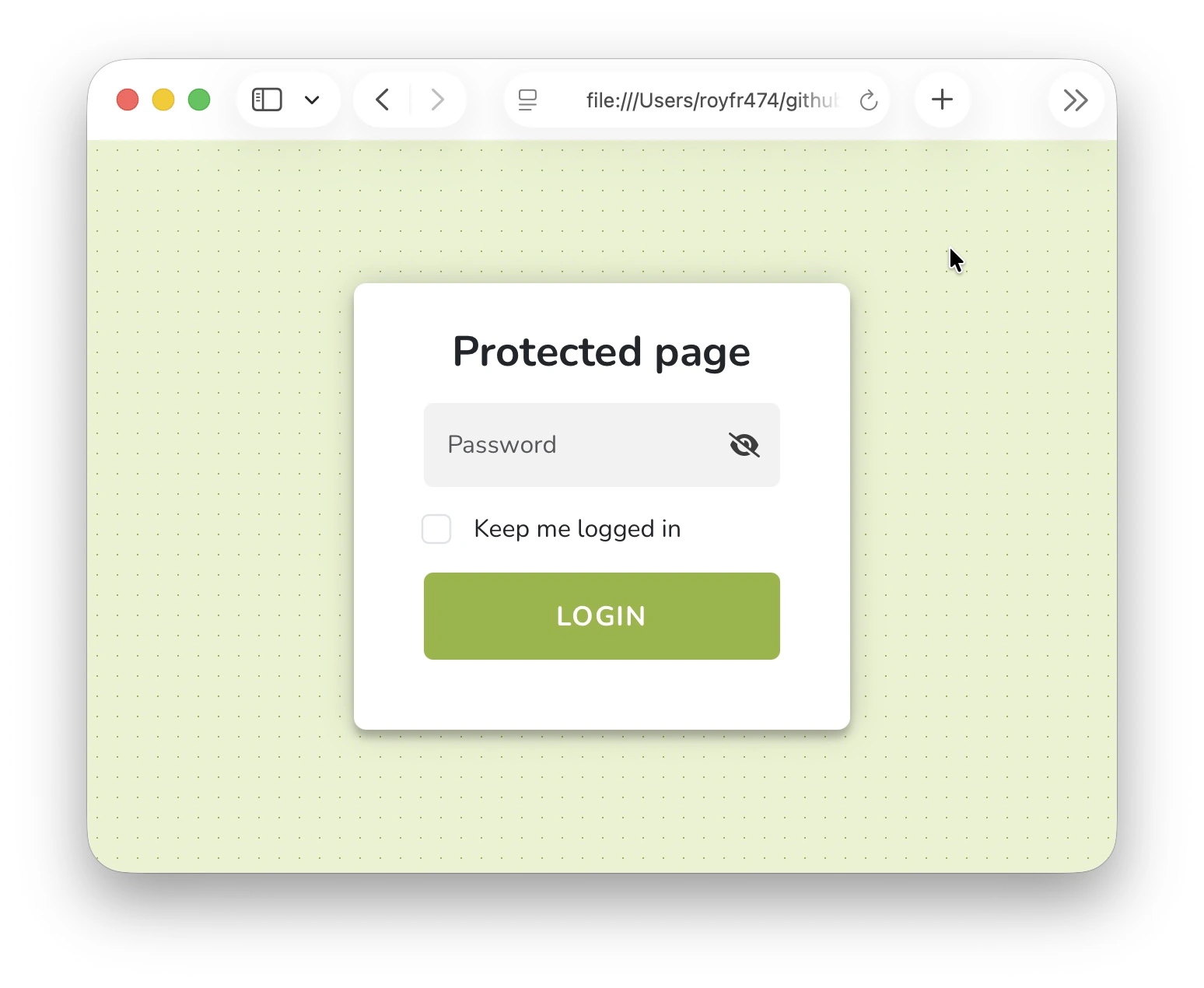
Disable remember me functionality
staticrypt index.html -p mylongpassword --remember false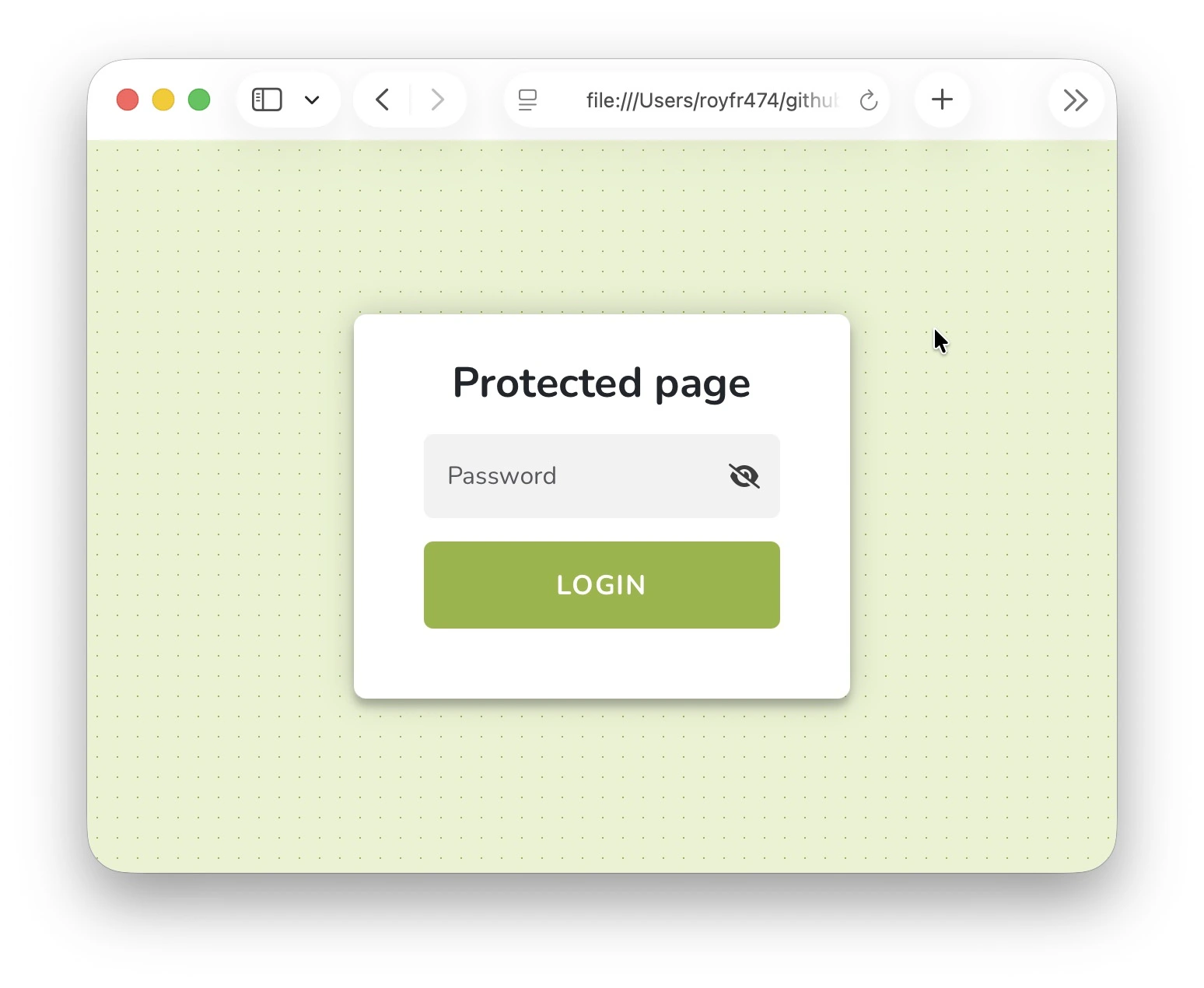
Sharing
Set --share to generate a URL fragment that auto-fills the password hash on load. This is useful for sharing protected pages without exposing the plaintext password.
staticrypt index.html -p "mylongpassword" --shareAdd the fragment to any URL hosting the encrypted page, for example;
https://example.com/index.html#staticrypt_pwd=5e884898da280471
Decrypting
You can decrypt an encrypted HTML file back to its original form using the --decrypt flag. The output is written to a decrypted folder by default.
staticrypt encrypted/index.html --decrypt -p "mylongpassword"Configuration File
Running StatiCrypt writes .staticrypt.json containing the last salt and other metadata. Check this file into version control when collaborating to ensure everyone uses the same salt.
Example:
{
    "salt": "b93bbaf35459951c47721d1f3eaeb5b9"
}
Troubleshooting
Browse the source or open an issue on GitHub.