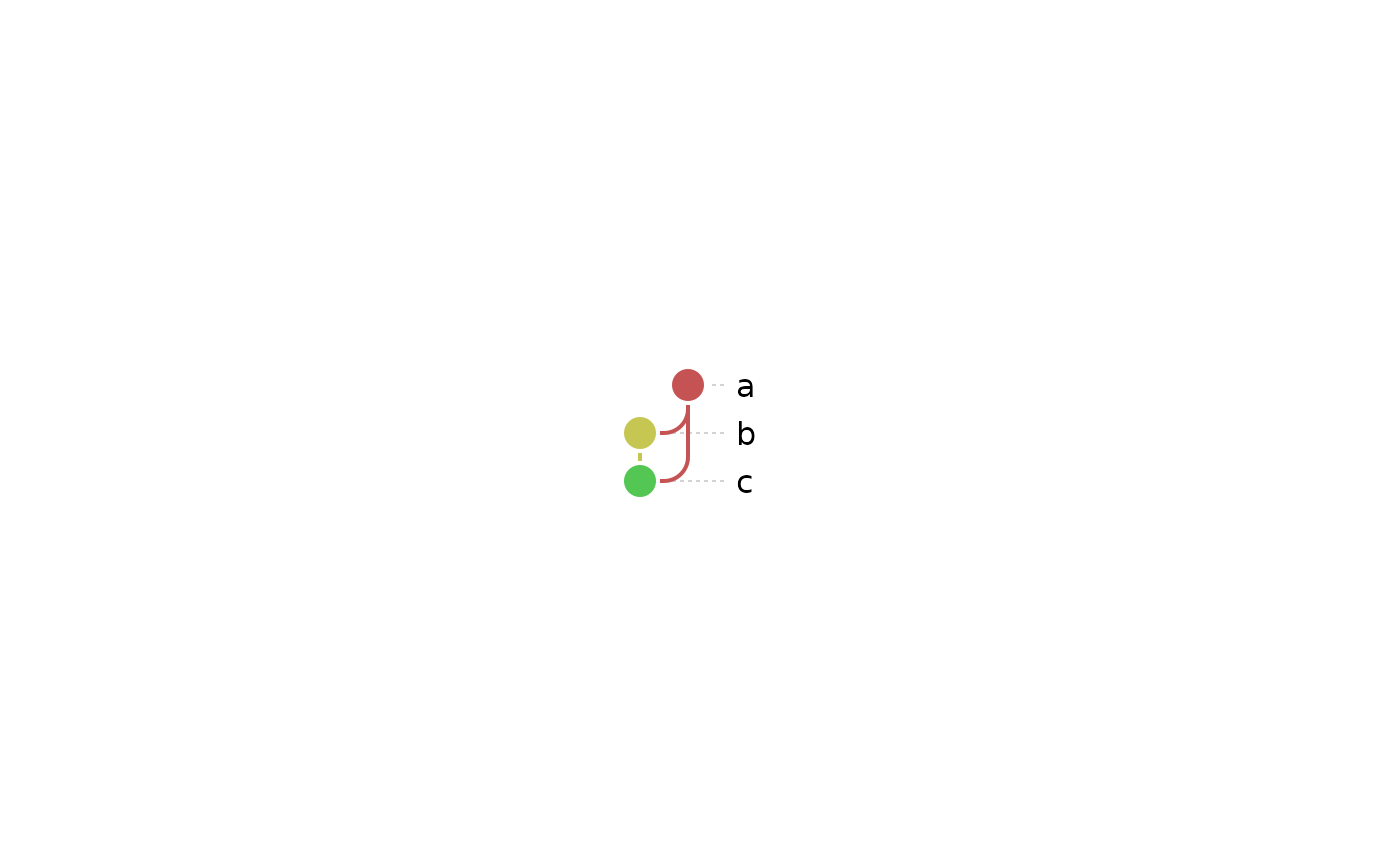
Reproduces dagviz's StyleConfig defaults (style/metro.py) as a
dag_style_metro object: round nodes (the default shape; see node_shape
of dag_layers()), thick colored edges with rounded bends, and labels to
the right.
Usage
style_metro(
  scale = 10,
  node_radius = 6,
  node_fill = NULL,
  node_stroke = "white",
  node_stroke_width = 2,
  edge_stroke_width = 2,
  label_font_family = "sans-serif",
  label_font_size = "inherit",
  label_font_color = "currentColor",
  label_arrow_stroke = "lightgrey",
  label_arrow_dash_array = "2",
  arc_radius = 15,
  bridge_color = "white",
  minimal_width = NULL,
  node_size_range = NULL,
  edge_width_range = NULL
)
Arguments
- scale
Half the distance, in pixels, between neighboring rows and between neighboring lanes (columns): both are
2 * scaleapart.- node_radius
The radius of a node, in pixels: of a circle, and the size that other shapes (see
node_shapeofdag_layers()) are drawn to match. A triangle or diamond reaches further from its center than a circle, up to about 1.6 timesnode_radius, and the plot ends onlyscalepixels from the nodes' centers, so with anode_radiusof about 7 or more (at the defaultscale) a triangle in the first or last row may be cut off: raisescaletoo.- node_fill
Optional single fill color for every node, used only when
node_color(a separate argument to the plotting functions) is left at its default. Unlikenode_color, it never affects edge colors (matching dagviz:node_fillrecolorsplace_node()only, never_place_edge()).NULL(the default) uses the resolved palette instead.- node_stroke, node_stroke_width
The color and width of a node's border.
- edge_stroke_width
The line width of an edge.
- label_font_family, label_font_size, label_font_color
The font family, size (in pixels) and color of a node's label. Accept either dagviz's own
StyleConfigvalues (the defaults:"sans-serif","inherit","currentColor") or their R equivalents directly.- label_arrow_stroke, label_arrow_dash_array
The color and linetype of the leader line from a node to its label.
label_arrow_dash_arrayaccepts dagviz's SVGstroke-dasharrayvalue (the default,"2") or an Rlinetypecode (e.g."22") directly.- arc_radius
The radius of an input arc.
- bridge_color
The color of the white "bridge" drawn under a horizontal line where it crosses other edges.
- minimal_width
How far the plot extends to the right of its labels.
NULL(the default) ends the plot just past the longest label, measured from its text. A number is dagviz's rule instead: the plot is at least that wide in pixels (dagviz uses500) and twice as wide as the right-most label's start, since an SVG can't measure its own text. The plot is then often much wider than the graph.- node_size_range, edge_width_range
The smallest and largest node radius and edge width, in pixels, when
node_sizeandedge_width(seedag_layers()) draw them from a column. Rows and lanes are2 * scaleapart, and the plot endsscalepixels from the nodes' centers, so a radius may not exceedscale, nor a widthscale / 2.NULL(the default) is from half to one and a half timesnode_radius, and from half to two and a half timesedge_stroke_width, kept within those limits. The limit is for circles: a triangle or diamond reaches up to about 1.6 times further, as fornode_radius, so the biggest of them in the first or last row may be cut off unlessscaleis raised. Neighboring rows are2 * scaleapart, so two nodes of the largest radius in them leave only2 * scale - 2 * maxpx for the line between them (2 px by default), too little to see. A smaller maximum, or a largerscale, leaves room.
Examples
style_metro()
#> $scale
#> [1] 10
#>
#> $node_radius
#> [1] 6
#>
#> $node_fill
#> NULL
#>
#> $node_stroke
#> [1] "white"
#>
#> $node_stroke_width
#> [1] 2
#>
#> $edge_stroke_width
#> [1] 2
#>
#> $label_font_family
#> [1] "sans"
#>
#> $label_font_size
#> [1] 16
#>
#> $label_font_color
#> [1] "black"
#>
#> $label_arrow_stroke
#> [1] "lightgray"
#>
#> $label_arrow_dash_array
#> [1] "22"
#>
#> $arc_radius
#> [1] 15
#>
#> $bridge_color
#> [1] "white"
#>
#> $minimal_width
#> NULL
#>
#> $node_size_range
#> NULL
#>
#> $edge_width_range
#> NULL
#>
#> attr(,"class")
#> [1] "dag_style_metro"
dag <- as_dag(data.frame(from = c("a", "a", "b"), to = c("b", "c", "c")))
ggplot_dag(dag, style = style_metro(node_radius = 9, arc_radius = 12, scale = 12))