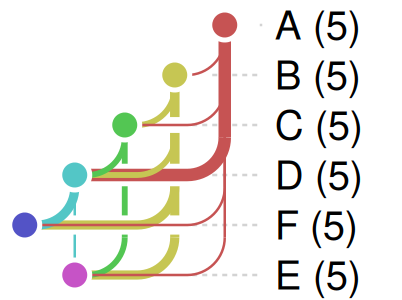
Three example targets pipelines, each written with targets::tar_script() and plotted in color (the default coloring, or by type for the branching one) and by build status, plus a few random graphs at different sizes. The last section collapses two of them: the analysis pipeline into its stages, and a random graph into blocks of nodes.
basic: about 6 targets, a straight chain
basic_dir <- tempfile("basic")
dir.create(basic_dir)
withr::with_dir(
  basic_dir,
  targets::tar_script({
    tar_option_set(packages = character())

    read_data <- function(n) {
      data.frame(x = seq_len(n), y = seq_len(n) * 2 + stats::rnorm(n))
    }

    clean_data <- function(data) {
      data[stats::complete.cases(data), ]
    }

    fit_model <- function(data) {
      stats::lm(y ~ x, data = data)
    }

    summarize_model <- function(model) {
      data.frame(
        term = names(stats::coef(model)),
        estimate = unname(stats::coef(model))
      )
    }

    write_report <- function(summary) {
      paste(utils::capture.output(print(summary)), collapse = "\n")
    }

    list(
      tar_target(n, 20),
      tar_target(raw_data, read_data(n)),
      tar_target(clean, clean_data(raw_data)),
      tar_target(model, fit_model(clean)),
      tar_target(summary, summarize_model(model)),
      tar_target(report, write_report(summary))
    )
  })
)
withr::with_dir(basic_dir, tar_ggplot())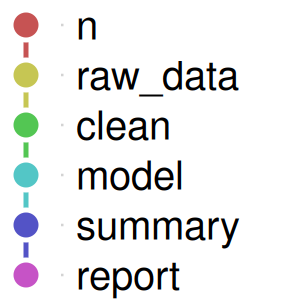
withr::with_dir(basic_dir, {
  targets::tar_make(reporter = "silent")
  tar_ggplot(node_color = "status", palette = targets_status_colors())
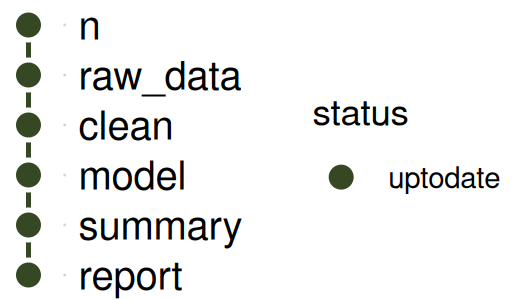
})
branching: dynamic branching over groups
tar_network() shows a dynamic branching target’s individual branches as one node (with a branches count), so the plot has the same size however many branches each target has at runtime. The branched targets have type = "pattern", and are drawn as squares, where the other targets are circles.
branching_dir <- tempfile("branching")
dir.create(branching_dir)
withr::with_dir(
  branching_dir,
  targets::tar_script({
    tar_option_set(packages = character())

    make_group_data <- function(group, seed) {
      set.seed(seed)
      data.frame(group = group, value = stats::runif(5))
    }

    clean_group <- function(data, threshold) {
      data[data$value > threshold, ]
    }

    summarize_group <- function(data) {
      data.frame(group = data$group[1], mean = mean(data$value))
    }

    compute_stats <- function(data) {
      data.frame(group = data$group[1], sd = stats::sd(data$value))
    }

    merge_all <- function(summary, stats) {
      merge(summary, stats, by = "group")
    }

    overall_summary <- function(merged) {
      data.frame(
        mean_of_means = mean(merged$mean),
        mean_of_sds = mean(merged$sd)
      )
    }

    write_report <- function(merged, overall) {
      paste(
        utils::capture.output(print(merged)),
        utils::capture.output(print(overall)),
        collapse = "\n"
      )
    }

    list(
      tar_target(seed, 1),
      tar_target(threshold, 0.05),
      tar_target(groups, letters[1:6]),
      tar_target(
        group_data,
        make_group_data(groups, seed),
        pattern = map(groups)
      ),
      tar_target(
        cleaned,
        clean_group(group_data, threshold),
        pattern = map(group_data)
      ),
      tar_target(
        group_summary,
        summarize_group(cleaned),
        pattern = map(cleaned)
      ),
      tar_target(group_stats, compute_stats(cleaned), pattern = map(cleaned)),
      tar_target(merged, merge_all(group_summary, group_stats)),
      tar_target(overall, overall_summary(merged)),
      tar_target(report, write_report(merged, overall))
    )
  })
)
withr::with_dir(branching_dir, tar_ggplot(node_color = "type"))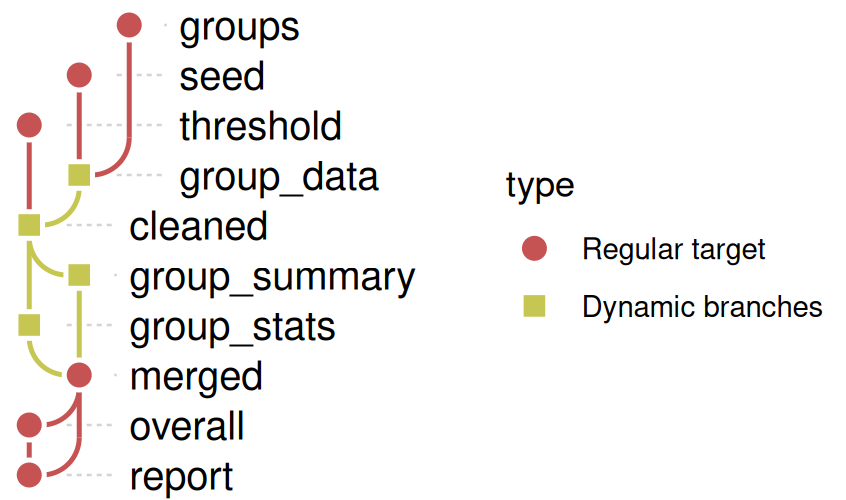
withr::with_dir(branching_dir, {
  targets::tar_make(reporter = "silent")
  tar_ggplot(node_color = "status", palette = targets_status_colors())
})
#> + group_data declared [6 branches]
#> + cleaned declared [6 branches]
#> + group_stats declared [6 branches]
#> + group_summary declared [6 branches]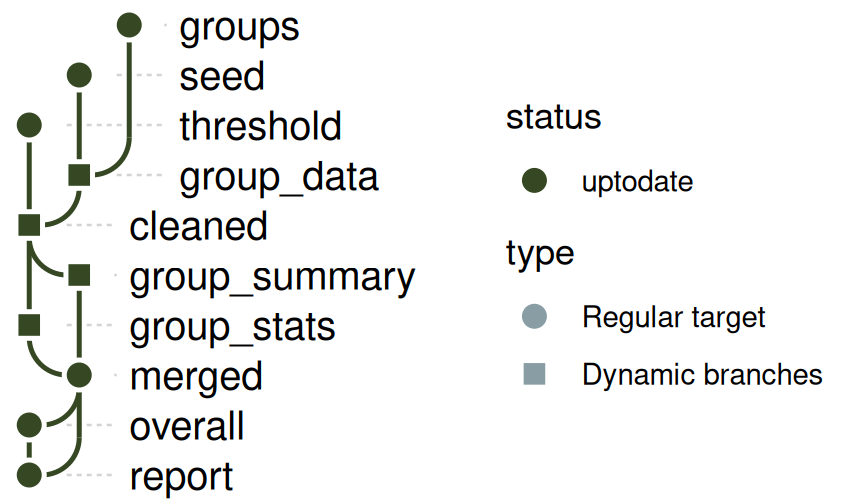
analysis: about 20 targets, several parallel branches that merge
analysis_dir <- tempfile("analysis")
dir.create(analysis_dir)
withr::with_dir(
  analysis_dir,
  targets::tar_script({
    tar_option_set(packages = character())

    make_config <- function() list(scale = 2, offset = 1)

    load_raw <- function(seed) {
      set.seed(seed)
      stats::rnorm(50)
    }

    clean <- function(x) {
      x[abs(x) < 3]
    }

    feature <- function(x, fn) {
      fn(x)
    }

    combine2 <- function(a, b) {
      c(a, b)
    }

    model_fit <- function(x, config) {
      mean(x) * config$scale + config$offset
    }

    evaluate <- function(model, other = NULL) {
      if (is.null(other)) model else mean(c(model, other))
    }

    report_all <- function(config, ...) {
      vals <- c(...)
      paste(
        "config:",
        config$scale,
        config$offset,
        "| results:",
        paste(round(vals, 3), collapse = ", ")
      )
    }

    # `config` comes first, before any description is set, so it has none
    config_targets <- list(tar_target(config, make_config()))

    tar_option_set(description = "load")
    load_targets <- list(
      tar_target(raw_a, load_raw(1)),
      tar_target(raw_b, load_raw(2)),
      tar_target(raw_c, load_raw(3))
    )

    tar_option_set(description = "clean")
    clean_targets <- list(
      tar_target(clean_a, clean(raw_a)),
      tar_target(clean_b, clean(raw_b)),
      tar_target(clean_c, clean(raw_c))
    )

    tar_option_set(description = "features")
    feature_targets <- list(
      tar_target(feature_a1, feature(clean_a, mean)),
      tar_target(feature_a2, feature(clean_a, stats::median)),
      tar_target(feature_b1, feature(clean_b, mean)),
      tar_target(feature_ab, combine2(feature_a1, feature_b1)),
      tar_target(feature_bc, combine2(clean_b, clean_c))
    )

    tar_option_set(description = "model")
    model_targets <- list(
      tar_target(model_1, model_fit(combine2(feature_a2, feature_ab), config)),
      tar_target(model_2, model_fit(combine2(feature_ab, feature_bc), config)),
      tar_target(model_3, model_fit(combine2(feature_bc, clean_c), config))
    )

    tar_option_set(description = "evaluate")
    eval_targets <- list(
      tar_target(eval_1, evaluate(model_1)),
      tar_target(eval_2, evaluate(model_2, model_1)),
      tar_target(eval_3, evaluate(model_3))
    )

    tar_option_set(description = "report")
    report_targets <- list(
      tar_target(summary_all, combine2(combine2(eval_1, eval_2), eval_3)),
      tar_target(report, report_all(config, summary_all))
    )

    tar_option_set(description = character(0))
    c(
      config_targets,
      load_targets,
      clean_targets,
      feature_targets,
      model_targets,
      eval_targets,
      report_targets
    )
  })
)
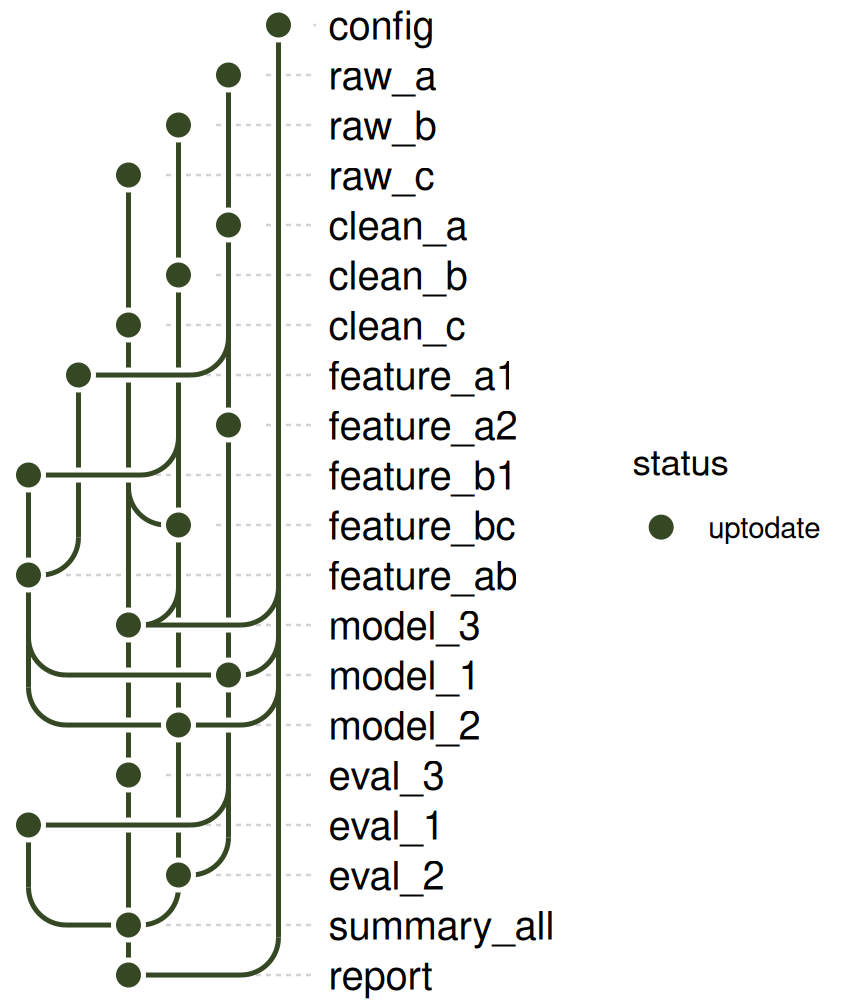
The targets have a stage in their description, set a block at a time with tar_option_set(). It doesn’t change the plots below, but the collapsed graphs at the end of this page group the targets by it.
withr::with_dir(analysis_dir, tar_ggplot())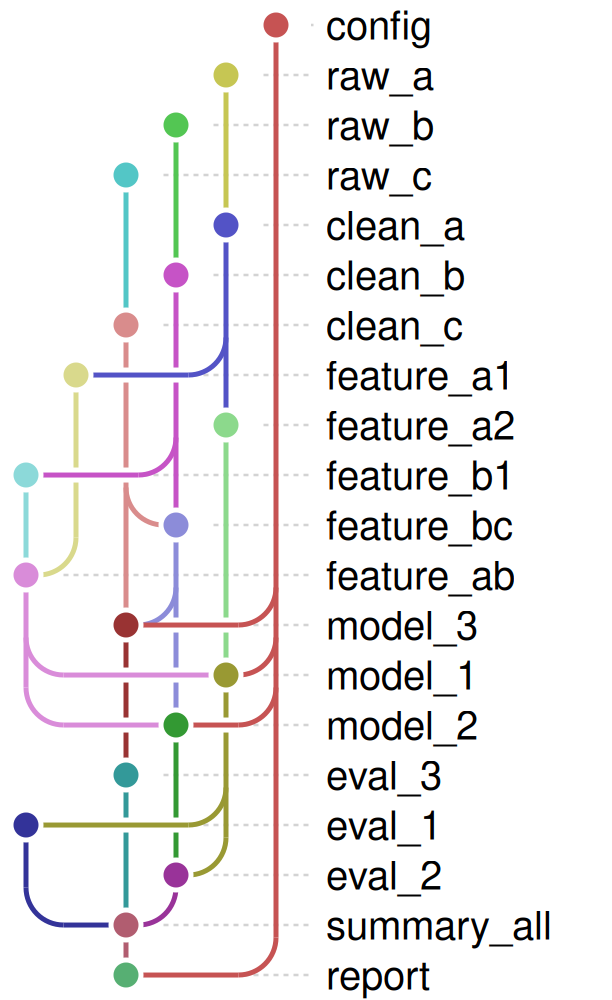
withr::with_dir(analysis_dir, {
  targets::tar_make(reporter = "silent")
  tar_ggplot(node_color = "status", palette = targets_status_colors())
})
Random graphs at different sizes
random_dag <- function(seed, n, p) {
  set.seed(seed)
  names <- sample(sprintf("n%02d", seq_len(n)))
  from <- to <- character(0)
  for (i in seq_len(n)) {
    for (j in seq_len(n)) {
      if (i < j && runif(1) < p) {
        from <- c(from, sprintf("n%02d", i))
        to <- c(to, sprintf("n%02d", j))
      }
    }
  }
  as_dag(data.frame(from = from, to = to), nodes = data.frame(name = names))
}
ggplot_dag(random_dag(1, 6, 0.3))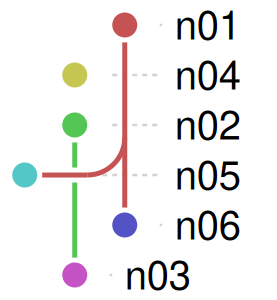
ggplot_dag(random_dag(2, 15, 0.15))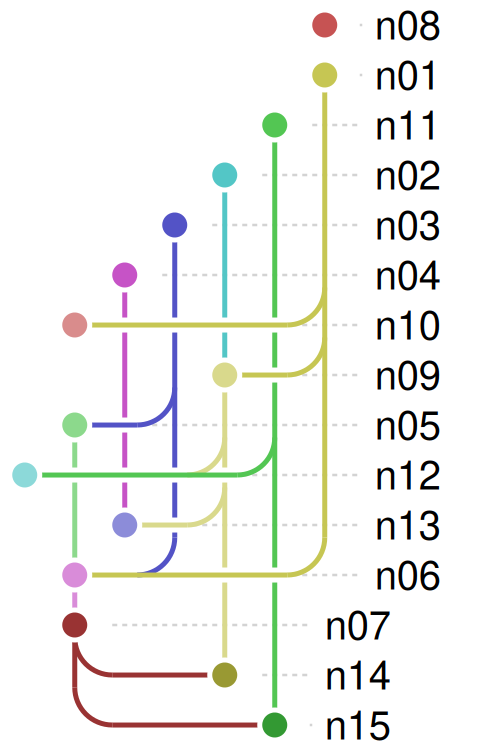
ggplot_dag(random_dag(3, 30, 0.08))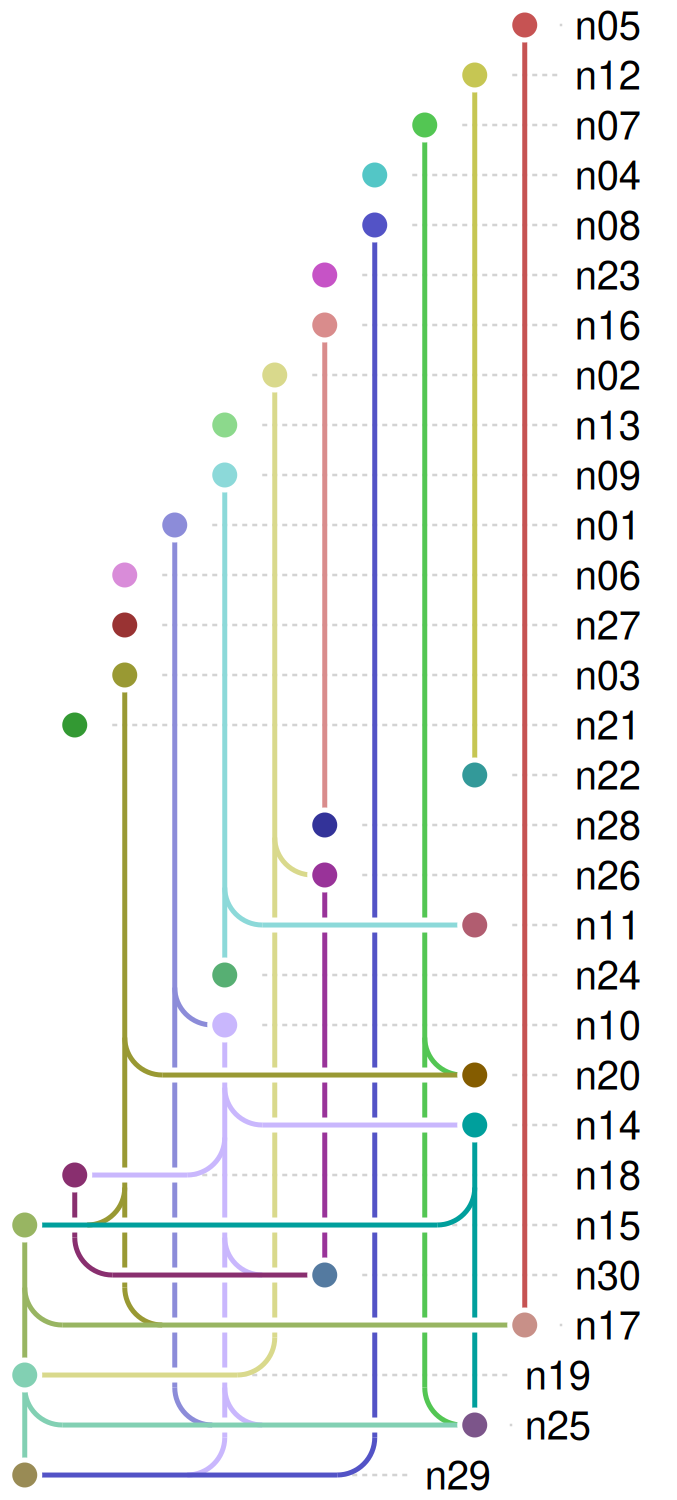
ggplot_dag(random_dag(4, 20, 0.3))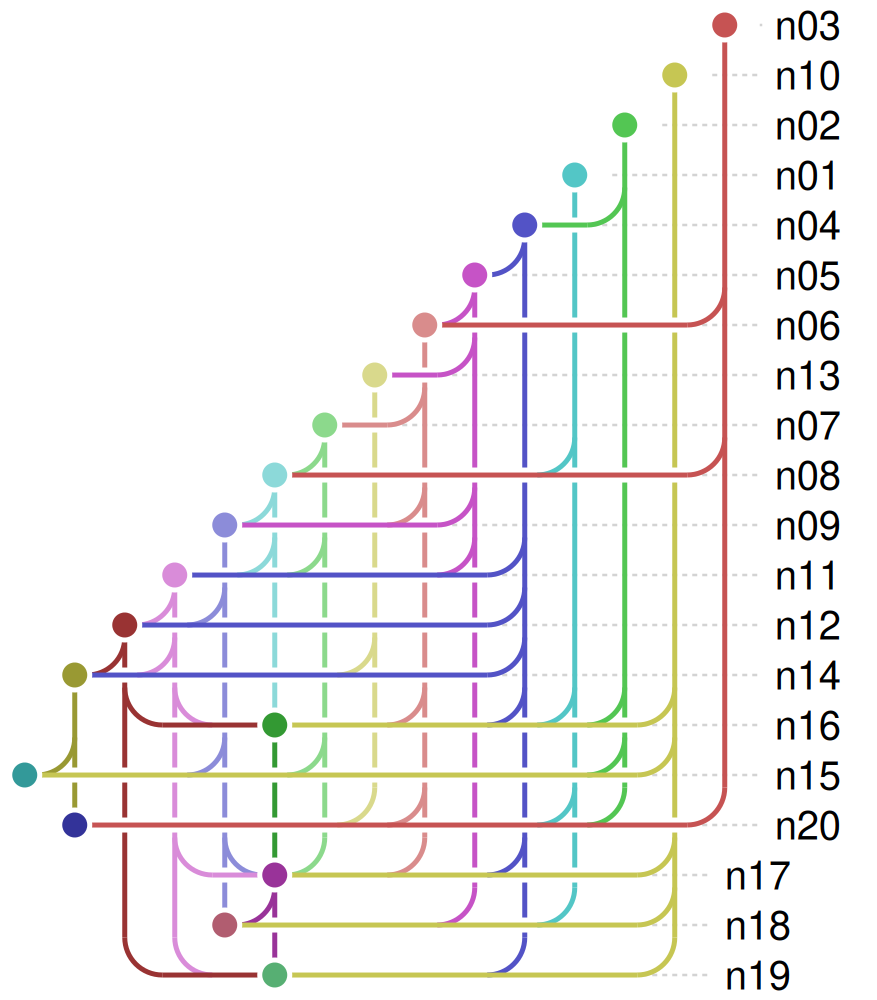
ggplot_dag(random_dag(5, 25, 0.04))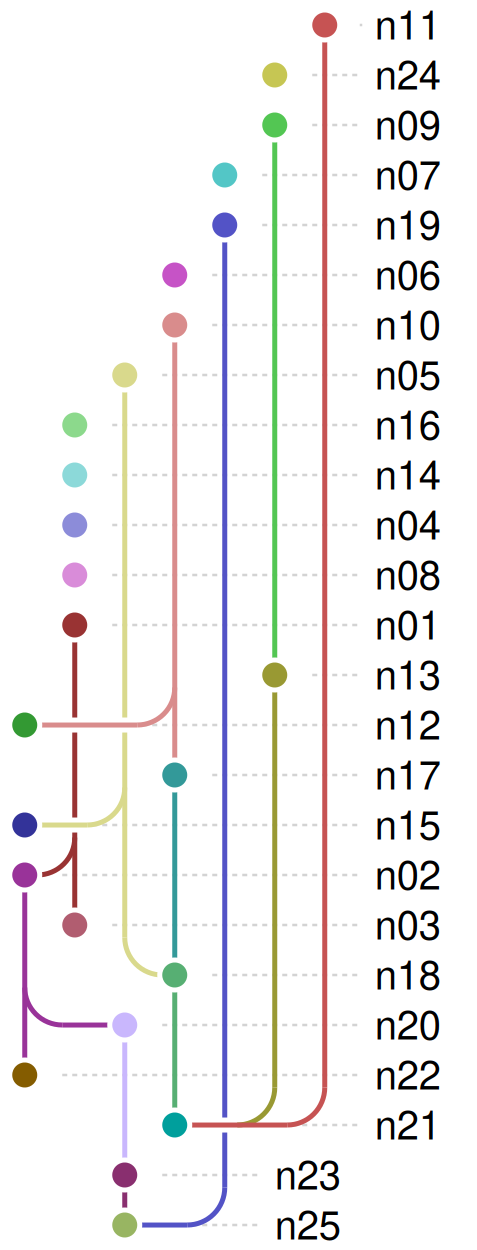
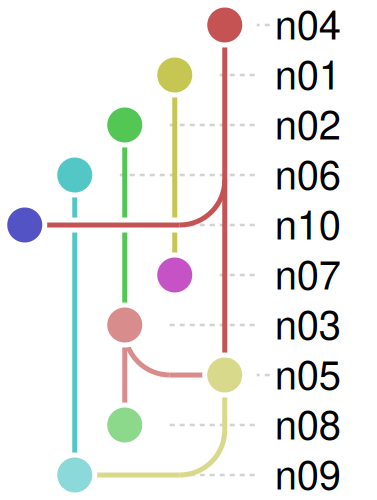
ggplot_dag(
  random_dag(6, 10, 0.2),
  style = style_metro(node_radius = 8, arc_radius = 18)
)
Collapsed graphs
tar_ggplot(collapse_by = ) and dag_collapse() merge the nodes that share a value of a column into one node, labeled with how many it stands for, and draw one edge for each pair of groups. See the Collapsing a pipeline article for how stages are set and what can go wrong.
analysis by stage
Collapsing the analysis pipeline above by its description gives one node per stage, with the number of targets in the label. config, which has no stage, stays as it is:
withr::with_dir(analysis_dir, tar_ggplot(collapse_by = "description"))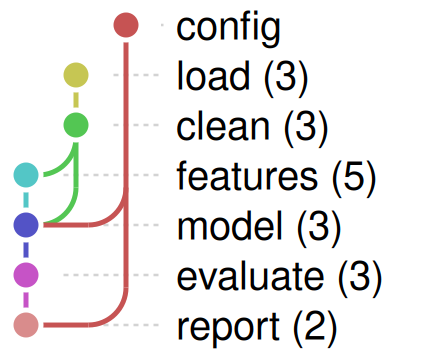
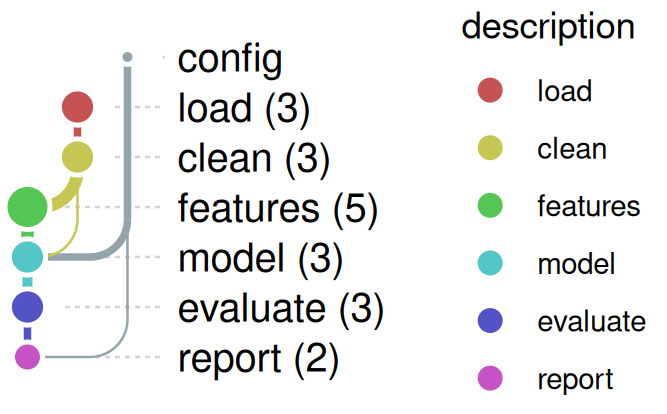
The size of a node and the width of an edge can follow n, the number of targets in a node and of dependencies in an edge, and node_color = "description" colors the nodes by stage:
withr::with_dir(
  analysis_dir,
  tar_ggplot(
    collapse_by = "description",
    node_color = "description",
    node_size = "n",
    edge_width = "n"
  )
)
A random graph by block
Any DAG can be collapsed by a column of its nodes. Here the 30-node graph from above is grouped in blocks of five consecutive numbers (n01 to n05 are block A, and so on). The edges of a random graph run from lower to higher numbers, so the blocks can’t make a cycle. edge_width = "n" shows how many edges each line stands for:
d <- random_dag(3, 30, 0.08)
d$nodes$block <- LETTERS[(as.integer(substring(d$nodes$name, 2)) - 1) %/% 5 + 1]
ggplot_dag(dag_collapse(d, "block"), edge_width = "n")